How to Reduce Power Consumption: Cascoin Mining Guide

Energy-efficiency standards helped nine major countries and regions save about 1,500 TWh of electricity in 2018, roughly matching their combined wind and solar generation that year, according to the International Energy Agency summary cited by Constellation. That result changes the way I approach a home server, gaming PC, or mining rig: meaningful savings rarely come from one dramatic tweak. They come from better hardware choices, sensible power limits, efficient cooling, and deciding when a workload needs to run.
The same principle applies at home. A miner who only undervolts a processor may miss larger waste from an idle system, poorly managed fans, unnecessary background tasks, or a workload running during an expensive peak period. Learning how to reduce power consumption means treating electricity as an operating input you can measure and manage, not as an unavoidable side effect of computing.
Table of Contents
- Understanding Power Consumption Reduction Strategies
- Hardware and Software Steps to Save Energy
- Choosing Efficient Mining Modes for Lower Power Use
- Scheduling, Monitoring, and Load Management
- Renewable and Lifecycle Energy Considerations
- Cascoin Mining Power-Saving Checklist
Understanding Power Consumption Reduction Strategies
Power reduction starts with a clean split between efficiency and load management. Efficiency lowers the energy needed to do a task. Load management changes when, how often, or whether that task runs at all. Both matter, because a more efficient device still wastes power if it stays busy for work nobody needs, and a well-timed workload can still cost too much on inefficient hardware.
That distinction matters in homes and in mining setups. A desktop used for gaming, a small home lab, a media server, and a mining client may share the same outlet, but their power profiles are very different. The only reliable way to start is to measure the setup as it runs. A plug-in power meter shows idle draw, active draw, and the effect of sleep settings. Operating-system tools and mining dashboards show whether the machine is doing useful work or just burning watts.
Practical rule: Do not optimize a device you have not measured. Record idle consumption, normal workload consumption, and output before changing settings.
Lower demand does more than cut the bill. It reduces heat, fan activity, and cooling load. That can make a home office quieter, reduce stress on the power supply, and keep a small mining rig inside a safer thermal range. A useful way to think about this is that the same watt saved on a house server, a gaming PC, or a miner can come from very different places, yet the meter only cares about the total.
Power intensity also matters at larger scale. A energy-efficiency overview from Constellation notes that U.S. energy use rose 26% while GDP rose 149% between 1980 and 2014, and that energy intensity fell from 12.1 thousand Btu per dollar to 6.1, a 50% improvement. That is the same basic lesson seen in a home rig: better output per unit of power beats chasing raw speed.
Think in layers, not isolated gadgets
The first layer is the device itself. Choose hardware that delivers the required work without excessive idle or peak draw. The second is configuration, including voltage, frequency, fan curves, power profiles, and sleep behavior. The third is workload choice. A lightweight CPU task may fit a modest home system, while an ASIC workload belongs on hardware built for that algorithm.
The fourth layer is timing. Batch jobs, backups, updates, and mining do not all need to run continuously. Moving flexible consumption away from grid-constrained or high-tariff periods can lower cost without reducing the work completed. MIT reports that shifting more than 20%, and in some cases closer to 50%, of data-center consumption to non-peak hours can lower average energy costs and support grid management, as described in its coverage of flexible data-center energy use.
For household-wide planning, the Superior Home Improvement savings guide is useful because it broadens the audit beyond computers and mining hardware. Heating, cooling, lighting, appliances, and standby loads can compete with a rig for the same energy budget.
The target is not the lowest wattage at any cost. It is the best balance of useful output, reliability, heat, noise, and electricity consumed. An unstable undervolt that causes crashes is expensive if it forces repeat jobs, corrupts files, or creates extra troubleshooting. A slightly slower workload that runs cleanly with a sensible limit often beats a higher-power setup chasing a small gain.
Hardware and Software Steps to Save Energy
A rig that sits idle, spins fans harder than needed, or keeps unnecessary services alive wastes power before undervolting even enters the picture. The biggest gains usually come from cutting load first, then tightening voltage, airflow, and software policy.
Start with the load you can remove
Check whether the machine needs to be active at all. Remove unused applications from startup, stop background synchronization that does not support the current task, and put displays and peripherals into sleep when they are not needed. On a home server, review containers, virtual machines, and scheduled jobs. On a mining computer, inspect whether the operating system, browser, launchers, and update services are consuming processor time while the miner runs.
The same logic applies in server rooms. ENERGY STAR's guidance on cutting data-center waste notes that many servers are not running near capacity and recommends consolidating or removing unnecessary systems. Berkeley Lab's small-data-center efficiency guide also points to turning off unused servers, monitoring IT and infrastructure power, and virtualizing or consolidating applications.
For a household rig, that may mean moving light services onto one efficient machine instead of leaving several underused systems online. The saving comes from eliminating idle equipment, not from making every device slightly more efficient.
Tune voltage, frequency, and fans together
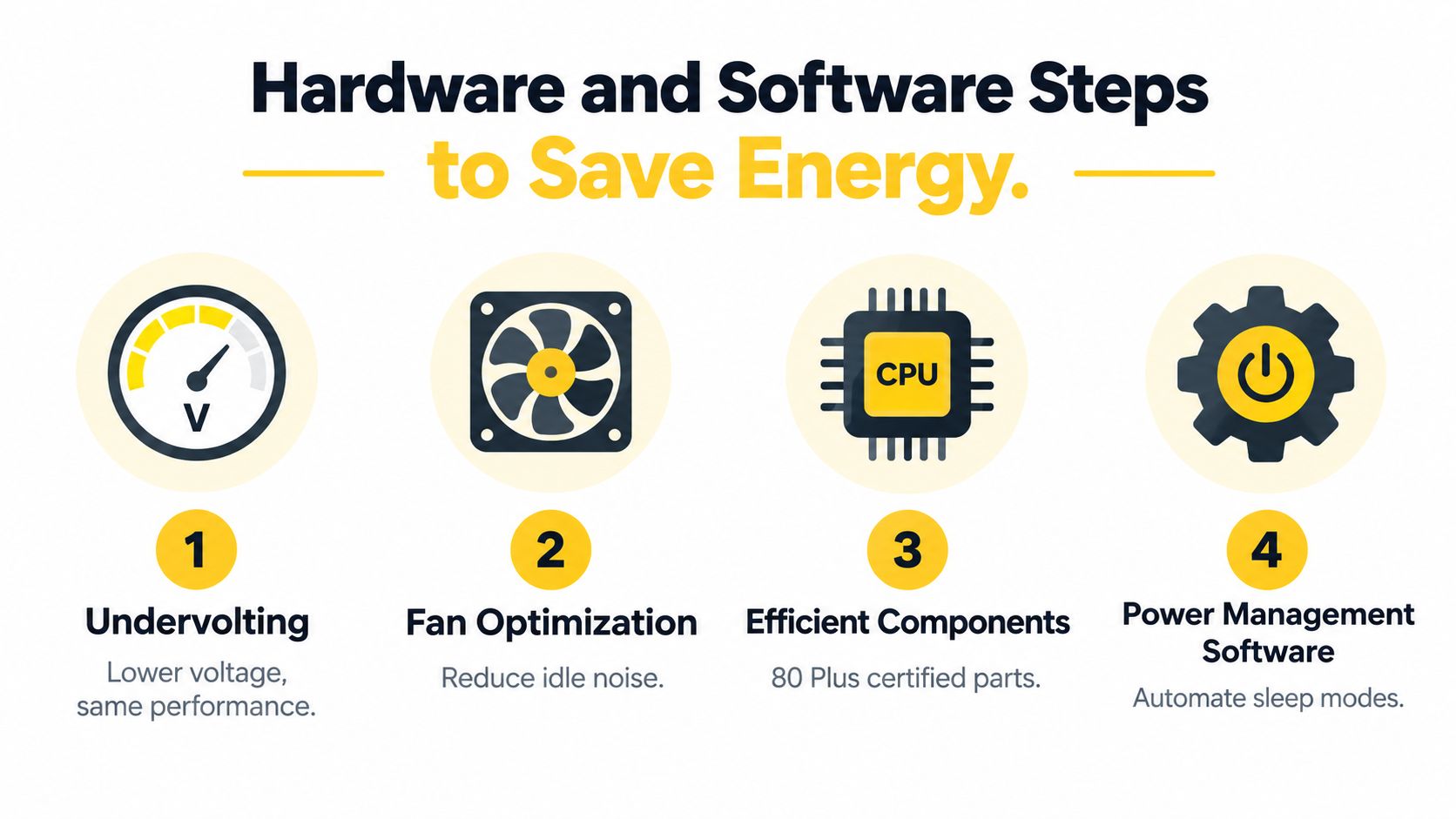
Undervolting lowers the voltage supplied to a processor or graphics card while trying to preserve the required frequency. Use small changes, test stability, and record both output and wall draw. A setting that looks good in software can deliver little real benefit if the system spends more time recovering from errors or if the workload loses too much useful performance.
Fan control deserves the same attention. Independent guidance cited by TechTarget's data-center efficiency recommendations reports that reducing CPU fan speed can lower power use by about 20% in a benchmark. That result will not hold for every machine, but it shows why fan curves can move the meter. Lower fan speed reduces the fan's own draw and can reduce the thermal cycling caused by aggressive cooling.
Avoid overcooling. For miners and home systems alike, cooling-efficiency guidance points to a simple reality, temperature, airflow, fan behavior, and placement shape both power draw and component life. In server environments, increasing allowable temperature ranges, installing blanking panels, containing hot and cold aisles, and avoiding oversized cooling systems can keep HVAC equipment from working harder than necessary.
Compare components by total operating behavior
An efficient power supply matters because conversion losses occur between the wall and the components. The same principle applies to a home rig. Choose a correctly sized, reputable supply rather than a very large unit that spends its life lightly loaded.
Replace legacy hardware when measurement shows that operating cost and reliability no longer justify keeping it. Do not refresh components just because a newer generation exists. Compare wall draw, useful throughput, idle behavior, cooling requirements, and expected service life. A new processor that completes the same workload faster may let the machine return to idle sooner, while a high-performance component can still be a poor choice if it spends most of its time underused.
Let software enforce the policy
Use operating-system power profiles to control sleep, display timeout, processor behavior, and wake events. On Linux, tools such as powertop, tuned, and distribution power profiles can help identify active devices and adjust policy. On Windows, built-in power modes, Task Manager, and GPU control panels can expose background load and cap performance behavior. For a miner, use the client's own intensity, thread, and power options where available, then confirm the result at the wall.
The practical sequence is:
- Measure first: Capture idle and active draw with a wall meter or monitored outlet.
- Remove waste: Disable unnecessary startup tasks, services, and always-on devices.
- Set a ceiling: Apply a sensible power limit before chasing maximum throughput.
- Undervolt carefully: Test for stability, accepted work, errors, and actual output.
- Tune cooling: Use a gradual fan curve and prevent hot air from recirculating.
- Recheck the wall: Keep the setting only if useful output remains reliable.
Cooling design deserves its own review. A cooler room is not automatically a more efficient room if the system is overventilated or cooled far below what the hardware requires.
Choosing Efficient Mining Modes for Lower Power Use
Mining mode determines the shape of the power problem before any undervolt begins. Labyrinth Mining, MinotaurX, and SHA-256 are not just three software presets. They suit different hardware, workload patterns, and operating priorities.
Labyrinth Mining uses lightweight client software to simulate mice navigating a virtual maze to collect cheese. That makes it suitable for a regular computer and for operators who want a workload built around activity other than a pure hash race. Its appeal for low-power participation is operational: the miner can run on accessible hardware without automatically requiring a dedicated ASIC environment.
MinotaurX is the CPU-oriented option. It can suit a spare desktop, home server, or modest processor where the operator wants accessible mining without deploying specialized hashing hardware. CPU-friendly doesn't mean zero energy use. A machine running continuously still consumes electricity, produces heat, and may keep fans or cooling active, so the wall measurement remains decisive.
SHA-256 is the specialized path. Experienced ASIC operators may choose it because the hardware is designed for that algorithm and can deliver substantial hashing throughput. The trade-off is that ASIC deployment brings a different infrastructure burden, including power delivery, heat removal, noise control, and often a less flexible operating environment.
| Mining Mode | Hardware Requirement | Power Focus | Best For |
|---|---|---|---|
| Labyrinth Mining | Regular computer with lightweight client software | Keep the client efficient and avoid unnecessary system load | Eco-conscious users and home operators |
| MinotaurX | CPU-based system | Control processor intensity, voltage, and cooling | Beginners and CPU miners |
| SHA-256 | Dedicated ASIC hardware | Manage sustained electrical and thermal demand | Experienced ASIC operators |
Choose by the equipment you already own
If the machine is already online for work, storage, or other services, a lightweight mining mode may use capacity that would otherwise sit idle. That doesn't make the energy free. It does mean the incremental decision differs from buying and powering a dedicated machine solely for mining.
A separate ASIC should earn its place through measured output and a clear power plan. Don't compare its advertised hash rate directly with a CPU-oriented client. Compare useful network participation, wall draw, heat, noise, purchase cost, and operating schedule.
Labyrinth Mining can be a practical choice for operators prioritizing low-complexity participation and lower operational overhead. MinotaurX fits users who prefer conventional CPU mining and already understand processor tuning. SHA-256 belongs with miners prepared to manage specialized hardware rather than treating an ASIC like an ordinary desktop.
The efficient mode is the one that matches the job to the hardware. Running a powerful ASIC for a lightweight objective can waste more energy than a modest system running a carefully limited client.
Cascoin offers these paths within one open-source ecosystem, including Labyrinth Mining, MinotaurX, and SHA-256. Its public code and the Casplorer block explorer let users inspect the software and verify on-chain activity, but those transparency features don't replace an electricity measurement. A responsible operator still tests the selected mode, confirms accepted work, checks temperatures, and decides whether the output justifies the draw.
Avoid making reward claims the center of the decision. Mining returns are volatile, and no configuration can guarantee an economic result. Select the mode that fits the hardware, then optimize the operating envelope rather than chasing an unrestricted maximum.
Scheduling, Monitoring, and Load Management
A rig that draws less power per minute can still create a larger bill if it runs when you don't need it or overlaps with other major household loads. Scheduling turns efficiency into an operating policy.
Start with a baseline. Measure the computer at idle, during normal use, and while mining. Record the time, workload, room temperature, and whether other large appliances are active. A smart plug with power reporting, a plug-in meter, or a circuit-level monitor can reveal patterns that software alone misses.
Build a schedule around flexibility
Separate tasks into three groups:
- Critical work: Services that must stay available, such as backups, monitoring, or a required home server.
- Flexible work: Mining, batch processing, rendering, and large downloads that can move to another time.
- Unnecessary work: Idle applications, duplicate services, and devices with no current purpose.
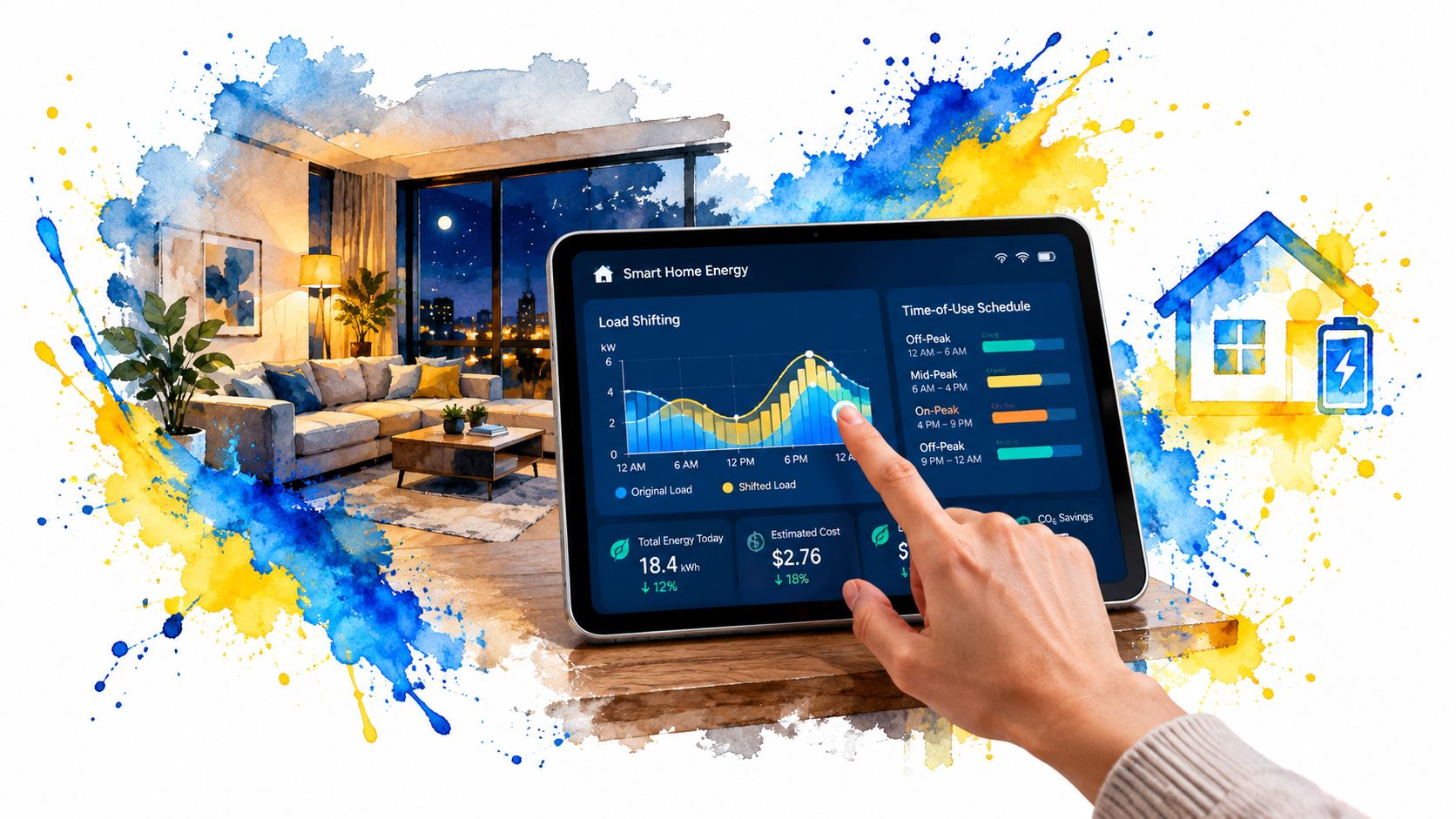
Schedule flexible work outside the household's busiest periods where possible. If the electricity tariff varies by time, use the tariff windows supplied by your utility rather than assuming nighttime is always cheaper. If the grid is under stress, shifting noncritical compute can also reduce local demand, even when the financial effect is modest.
For mining, define a start condition and a stop condition. The start condition might be a permitted time window and a cool room. The stop condition might be a temperature threshold, a household peak-load event, or a maximum daily energy budget. Use the miner's scheduler, the operating system's task scheduler, or a home-automation platform, but make sure an unexpected restart doesn't bypass your power limit.
Monitor output, not just watts
A dashboard should show wall power, temperature, fan speed, accepted work, rejected work, uptime, and useful output. A lower watt reading isn't a win if rejected work rises or the system becomes unstable. Review the readings after changing one variable at a time so you know which adjustment made the difference.
The U.S. Department of Energy treats efficiency, storage, clean generation, and demand flexibility as complementary tools in its guidance on meeting data-center electricity demand. That framing works for a home setup too. You don't have to choose between a lower-power device and a better schedule. Combine both, then verify the result.
Use this repeatable test:
- Record a baseline: Measure the same workload under the current settings.
- Change one control: Adjust a power limit, schedule, fan curve, or workload intensity.
- Run a stable comparison: Keep the test long enough to expose errors and thermal changes.
- Check the meter: Compare energy consumed, not only instantaneous watts.
- Keep or revert: Retain the setting only if reliability and useful output remain acceptable.
A delayed batch job usually costs less than a failed batch job. The same applies to mining. If a schedule causes frequent restarts or missed work, its theoretical savings don't matter. Build automation around safe defaults, preserve logs, and review the system after firmware or software updates.
Renewable and Lifecycle Energy Considerations
Efficiency reduces demand, but it doesn't eliminate the need to consider where electricity comes from or what happens to hardware at the end of its useful life. Pair a measured, lower-power setup with cleaner generation where practical, while avoiding the assumption that renewable capacity makes wasteful operation acceptable.
Solar is a good example of the interaction between generation and scheduling. A miner or home server can run flexible workloads when on-site generation is available, provided the system can tolerate interruptions and the operator understands storage limits. Keeping panels clean and productive can be part of that maintenance routine. For property-specific considerations, the Ventura County Roof Cleaners guide to solar-panel cleaning offers relevant maintenance context.
Lifecycle choices matter too. Repair, reuse, and measured upgrades often beat premature replacement. When a component does need replacing, select hardware that delivers the required work with lower operating demand, then retire or recycle the old unit responsibly. A new device isn't automatically greener if the old one still performs a useful role and the replacement adds unnecessary manufacturing impact.
Avoid the rebound effect. If a lower bill encourages longer mining hours, additional hardware, or heavier workloads, the household may erase part of the original saving. Set an operating budget in energy terms, not only in currency, and review total consumption after every major change.
Cascoin's wider environmental considerations are discussed in its cryptocurrency environmental impact resource. The practical lesson is straightforward: measure the full system, combine efficiency with appropriate energy sourcing, and treat hardware replacement as a lifecycle decision rather than a race to buy newer equipment.
Cascoin Mining Power-Saving Checklist
Use this sequence before leaving a Cascoin miner running:
- Select the mode: Match Labyrinth Mining, MinotaurX, or SHA-256 to the hardware and operating goal.
- Measure the wall: Record idle draw, mining draw, temperature, fan speed, and useful output.
- Set limits: Apply sensible processor, frequency, intensity, and power controls.
- Tune cooling: Prevent hot-air recirculation and avoid aggressive overcooling.
- Remove waste: Stop unused services, duplicate workloads, and unnecessary startup tasks.
- Schedule flexible work: Shift mining or batch jobs away from household peaks where practical.
- Verify stability: Check accepted work, errors, restarts, and sustained temperatures.
- Review the supply: Confirm that the power supply and cabling suit the system, using the Cascoin power-supply requirements as a reference.
- Recheck regularly: Repeat the measurement after software, firmware, or hardware changes.
The goal isn't maximum activity. It's reliable participation with a measured energy footprint.
Cascoin provides an open-source mining ecosystem with Labyrinth Mining, MinotaurX, and SHA-256 options for different hardware and operating preferences. If you want to compare those paths and build a lower-power setup around measurable limits, visit Cascoin and review its documentation, wallet, mining pool, and public code.